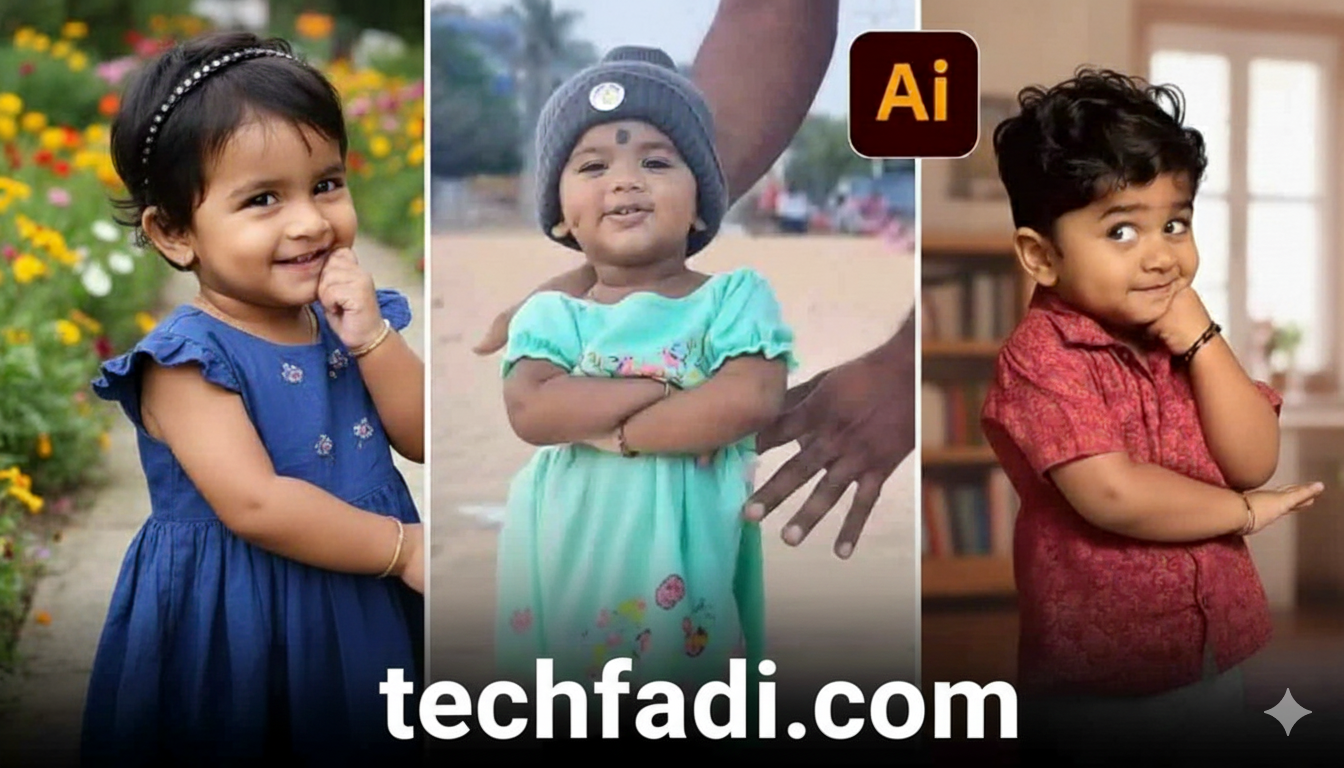
Baby AI video editing is one of the fastest-growing viral trends on social media right now. From Instagram Reels to TikTok and YouTube Shorts, AI-generated baby videos are everywhere. Big eyes, cute expressions, soft voices, and emotional background music — these videos instantly grab attention.
The best part?
You don’t need editing skills, a PC, or paid software.
In this detailed guide, you’ll learn:
-
What trending baby AI video editing actually is
-
Why it’s going viral right now
-
The best free baby AI video editing tools (2025)
-
Step-by-step process to create viral baby AI videos
-
Common mistakes to avoid
-
FAQs beginners usually ask
Let’s start from the basics.
What Is Trending Baby AI Video Editing?
Trending baby AI video editing is a new content style where artificial intelligence converts photos, prompts, or short clips into baby-style animated videos.
AI automatically adds:
-
Baby face transformation
-
Cute facial expressions
-
Lip-sync voice effects
-
Emotional or funny movements
-
Trending background music
Instead of manually editing, AI does 90% of the work. You just click, upload, and export.
This trend is often called:
-
AI baby transformation videos
-
Baby face AI reels
-
Cute baby AI shorts
Why Baby AI Videos Are Going Viral in 2025?
There’s a reason these videos are exploding on social media.
1. Emotional Connection
People instantly connect with baby faces. Cute visuals trigger emotions faster than normal videos.
2. Short-Form Algorithm Boost
Platforms like TikTok and Instagram push cute and emotional content more aggressively.
3. Zero Skill Required
Anyone can create these videos, even beginners with no editing experience.
4. High Engagement Rate
Baby AI videos get:
-
More likes
-
More shares
-
Higher watch time
That’s why creators are posting them daily.
Best Free Tools for Trending Baby AI Video Editing (2025)
Below are 100% working, beginner-friendly, and mostly free tools you can use right now.
1. CapCut (AI Baby Templates)
CapCut is currently the most popular tool for baby AI video editing.
Why CapCut is trending:
-
Ready-made baby AI templates
-
One-click editing
-
Free background music
-
Works on mobile
Just search for:
baby ai, cute baby, or ai baby face
inside CapCut templates.
2. Remini AI (Baby Face Animation)
Remini is famous for photo enhancement but now supports AI face animation.
Features:
-
Turns photos into baby-style videos
-
Smooth facial movement
-
Emotional expressions
Free version works fine for short videos.
3. HeyGen / D-ID (AI Talking Baby Videos)
These tools create talking baby AI videos.
You can:
-
Upload a photo
-
Add text or voice
-
Generate lip-sync baby videos
Best for:
-
Funny dialogues
-
Motivational baby reels
4. PicsArt AI + Motion Effects
PicsArt helps with:
-
Baby face editing
-
Cute filters
-
AI animation effects
Combine PicsArt with CapCut for better results.
Step-by-Step: How to Create Trending Baby AI Video (Just Now Click Method)
Follow this simple process.
Step 1: Choose a Baby AI Template
Open CapCut → Templates → Search:
-
Baby AI
-
Cute baby
-
AI baby face
Pick a high-view template.
Step 2: Upload Photo or Clip
Upload:
-
Your own photo
-
Celebrity image
-
Cartoon image
AI will automatically convert it into a baby-style face.
Step 3: Adjust Expression & Music
Most templates allow:
-
Music change
-
Expression speed control
-
Text overlay
Keep it short (7–12 seconds).
Step 4: Export in High Quality
Export in:
-
1080p
-
Vertical format (9:16)
Now your video is ready to post.
Best Platforms to Upload Baby AI Videos
For maximum reach, post on:
-
TikTok (Highest viral chance)
-
Instagram Reels
-
YouTube Shorts
-
Facebook Reels
Post consistently — at least 1–2 videos daily.
Content Ideas for Baby AI Video Editing
If you want daily viral ideas, try these:
-
Baby saying motivational lines
-
Funny baby dialogue
-
Baby reacting to trending audio
-
Cute baby crying or laughing
-
Baby version of celebrities
Small creativity = big results.
Common Mistakes to Avoid
Many beginners make these mistakes:
❌ Using long videos
❌ Low-quality images
❌ Too much text
❌ Copyright music misuse
❌ Over-editing expressions
Keep it simple and cute.
Is Baby AI Video Editing Safe for AdSense & Monetization?
Yes — 100% safe, if you follow rules.
✔ No adult content
✔ No misleading claims
✔ No copyright abuse
✔ Add value or entertainment
If you upload on YouTube Shorts or a blog, baby AI content is AdSense-friendly.
Can You Earn Money From Baby AI Videos?
Absolutely.
You can earn via:
-
YouTube Shorts monetization
-
Instagram brand deals
-
Affiliate links
-
AI video services on Fiverr
Many creators are already doing this.

FAQs – Trending Baby AI Video Editing
1. Is baby AI video editing free?
Yes, most tools like CapCut offer free templates.
2. Do I need editing skills?
No. AI handles everything.
3. Which app is best for beginners?
CapCut is the easiest and most reliable.
4. Are baby AI videos copyright-free?
Use royalty-free music and original images to stay safe.
5. How long should a baby AI video be?
7–12 seconds works best for viral reach.
Final Thoughts
Trending baby AI video editing is not just a trend — it’s a content opportunity. With free tools, zero skills, and high engagement potential, anyone can start today.
If you act early and post consistently, you can:
-
Build an audience
-
Go viral
-
Monetize your content
Don’t overthink it.
Just now click, create, and upload.